The College of Engineering offers collegiate SWAG to units.
Many College of Engineering departments and units request College of Engineering swag on an ad-hoc basis and it has become difficult to track the requests. This goal of this effort is to efficiently and effectively support the needs of units by bulk ordering collegiate swag on a yearly basis. Collegiate swag can be used for advisory board meetings, outreach, special visitors, and student recruitment.
It is important to note, many products have large minimum order requirements making it cost prohibitive to order small quantities. The College of Engineering has limited swag supplies and budget, and a limited staff, so it is important to coordinate and document what is being distributed.
Important things to note:
- Prior notice of five (5) business days is required. This will ensure items are gathered in time and the quantity being requested is available.
- Units must follow the directions as listed on this page.
- Units must provide a MFK for processing a change voucher for items used.
- Swag should be used for College of Engineering business purpose only.
| Item | Photo (not to scale) | Per unit replacement cost |
| Pencils |
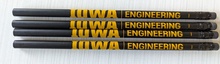
| $.27 per unit first 25 units at no charge |
| Pens |
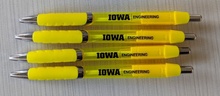
| $.76 per unit first 25 units at no charge |
| Mini-Frisbee |

| $1.50 per unit |
| Luggage Identifier, Yellow |
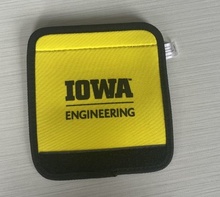
| $1.65 per unit |
| Gift Bags |
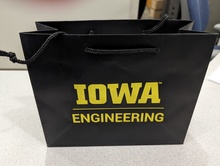
| $1.78 per unit |
| Luggage Tag, Wooden |

| $2.96 per unit |
| Squeeze Ball |

| $3.50 per unit |
| Soup Mug |

| $5.50 per unit |
| Notepad (8.5" x 5.5") |
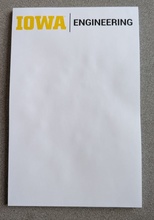
| $5.75 per unit |
| Clear Bag - Stadium Approved! |
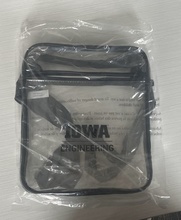
| $7.55 per unit |
| Insulated mug with Straw |

| $13.50 per unit |
| Luggage Tag, Leather |

| $15.25 per unit |
| Wine Tumbler |

| $15.75 per unit |
| Trunk Totes |
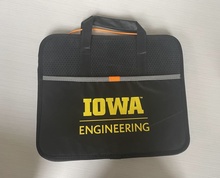
| $21.00 per unit |
If you'd like to order College of Engineering swag, please follow the directions below:
- Complete the Swag Spreadsheet Form (you must be a part of the UI Office365 to access)
- Download the file to your computer.
- Click the File menu and then select Save As.
- Then select Download a Copy. By default, this will save to your Downloads directory on your computer.
- Open up the file, specify the quantities for the items you’d like to request, save the file.
- Attach the file to the College of Engineering SWAG Request workflow. Submit the workflow form.